
Apple's New M6 MacBook Pro: What's Changed, and Why It's Worth Waiting One More Day
Published:
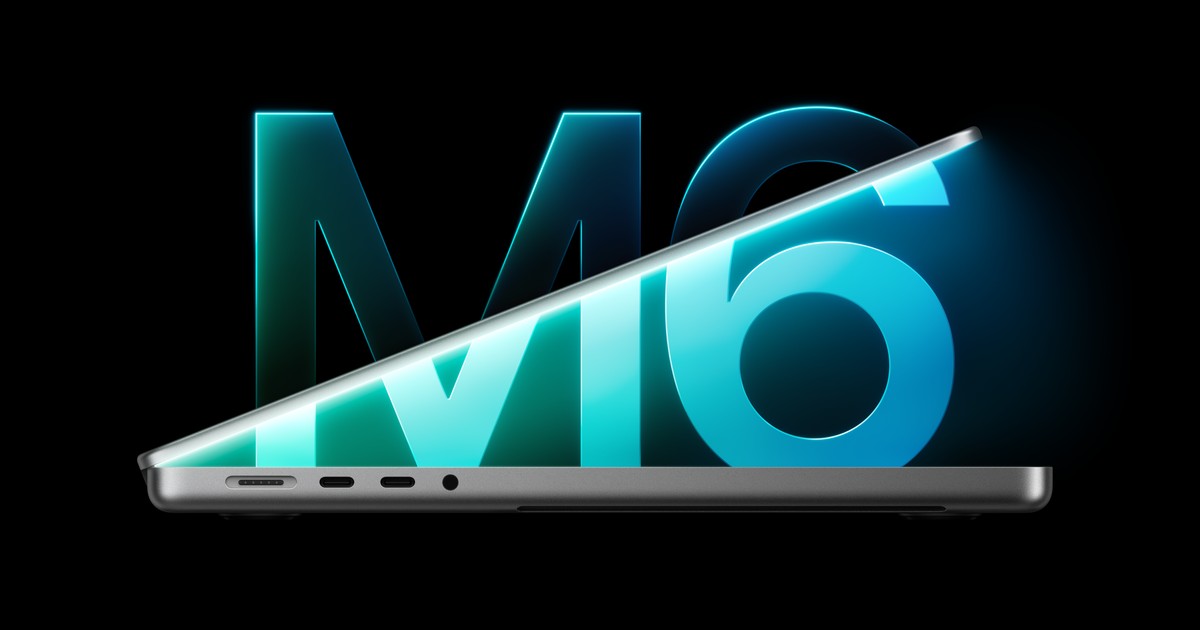
Image:
Apple
Apple has announced a new version of its entry-level 14-inch MacBook Pro, now with the M6 chip, faster Wi-Fi and the longest battery life Apple has ever put in a Mac, and pre-orders open tomorrow, Wednesday 28 October. It isn't the touchscreen redesign some people have been hoping for, though, so if you're weighing up a new laptop it's worth knowing what's actually changed, who it's really for, and why waiting just one more day could be the sensible move.
What Apple has announced
According to Apple's announcement on its UK Newsroom, the big change is the new M6 chip inside. It has a 12-core CPU, which is the main brain of the computer and has two more cores than last year's M5, and a 12-core GPU, the part that handles graphics, which Apple says is up to 30 per cent faster than before. Apple also says AI tasks run up to 25 per cent faster, and the Neural Engine, which is the part of the chip set aside for AI features such as Apple Intelligence, is now a "Dual 16-core" design that Apple rates as up to 1.9 times faster than M5.
Alongside the new chip, here's what else is new:
- Battery life of up to 24 hours, which Apple says is the longest ever in a Mac.
- Wi-Fi 7 and Bluetooth 6, the newest versions of both, which means faster and more responsive wireless connections. 9to5Mac points out the previous model had Wi-Fi 6E and Bluetooth 5.3, and MacRumors notes this comes from Apple's own N1 wireless chip, the same one that first appeared in the iPhone 17.
- 16GB of unified memory as standard, with an option for 32GB. Unified memory is what you might know as RAM, the working space your Mac uses to juggle the apps you have open.
- 1TB of storage as standard, with options up to 4TB, according to MacRumors. That's the same starting point as before, because Apple dropped the cheaper 512GB version of the previous model back in March.
- Two external displays are still supported, and MacRumors reports it can now run two 4K screens at up to 165Hz, a slightly smoother refresh rate than the 144Hz of the old model.
- Colours are space black and silver.
Everything else carries over from the M5 model. That includes the Liquid Retina XDR display with up to 1600 nits of peak HDR brightness (nits is simply a measure of how bright a screen can go), an optional nano-texture finish, which is a matte glass that cuts down reflections and glare, a 12MP Center Stage camera that keeps you in frame on video calls, and a six-speaker sound system. The ports are unchanged too, so you still get HDMI for a TV or monitor, MagSafe 3 for magnetic charging, three Thunderbolt 4 ports, an SD card slot for camera cards and a headphone jack. It also supports fast charging, reaching up to 50 per cent in 30 minutes with a higher-wattage USB-C charger such as Apple's 96W Power Adapter.
In fact, 9to5Mac describes it as purely a spec bump, which means the insides have been upgraded while the design stays exactly the same. It comes with macOS 27, which brings Apple's new Siri AI and more Apple Intelligence features across everyday apps.
When you can get it and what it costs
Apple says pre-orders open tomorrow, Wednesday 28 October, and the first deliveries and in-store availability start on Friday 6 November. In the US, MacRumors reports it starts at $1,999 with 16GB of memory and 1TB of storage. US prices don't convert neatly into pounds, so do check the UK price on Apple's UK MacBook Pro page before you order.
If you're upgrading from an older Mac
This is where Apple's figures are most eye-catching. Coming from an M1 MacBook Pro, Apple says you'd get up to four more hours of battery life, up to 11 times faster graphics and up to 13 times faster AI performance. Coming from an older Intel-based Mac, Apple says battery life improves by up to 14 hours, and you'd also gain 16GB of memory as standard and an extra Thunderbolt port. If you already have last year's M5 model, though, Apple's own tests show gains of around 1.2 to 1.3 times in demanding apps, so there's little reason to swap.
What's rumoured for tomorrow
This next part is not confirmed by Apple. 9to5Mac reports that Apple's redesigned MacBook Pro with its higher-end chips is expected to be unveiled tomorrow, and says rumours point to these models getting OLED touchscreens. OLED is a type of screen where each tiny dot lights itself, which tends to give deeper blacks and richer colour. 9to5Mac is a long-running Apple news site with a good track record, but here it's passing on what's widely expected rather than anything Apple has said, so treat it as likely rather than certain until Apple announces it.
What I think
If you mostly use your laptop for email, photos and browsing, I'd point you towards a MacBook Air rather than this MacBook Pro. That said, the screen and the ports on the Pro are real plus points, so they're worth weighing up if those matter to you. It's also worth remembering that this model was never expected to be the touchscreen one, because that's tomorrow.
On memory, whether the standard 16GB is enough really depends on how much you use AI. Apps use more and more memory as they add AI features, so if you expect to lean on things like Siri AI and Apple Intelligence a lot, more memory is worth thinking about.
And if you're hoping for a touchscreen MacBook Pro, my advice is to hold off. Tomorrow I expect to see the updated top-tier MacBook Pros along with touchscreen versions, and if you're unsure which way to go, just wait until tomorrow before you decide.
What to do now
- For everyday use such as email, photos and browsing, look at the MacBook Air first.
- If you want a touchscreen or a top-tier model, or you're simply unsure, wait for tomorrow's announcements before ordering anything.
- If this is the one for you, pre-orders open on Wednesday 28 October, so check the UK price on Apple's website and think about how much you'll use AI before choosing your memory.
If you're not sure which Mac suits you, or you'd like a hand moving everything across from your old one when it arrives, I'm happy to help. You can ask iHelp AI a quick question any time at /chat, or book a session with us for help remotely anywhere in the UK or in person across Dorset.
Alex
Get posts like this by email
Apple news, buying advice and tips in plain English, from the iHelp team.
Now and then, never spam. Unsubscribe any time. Privacy
Comments