
Touchscreen MacBook Pro Reviews Are In: A Stunning Screen, but Is the Touch Worth Paying For?
Published:
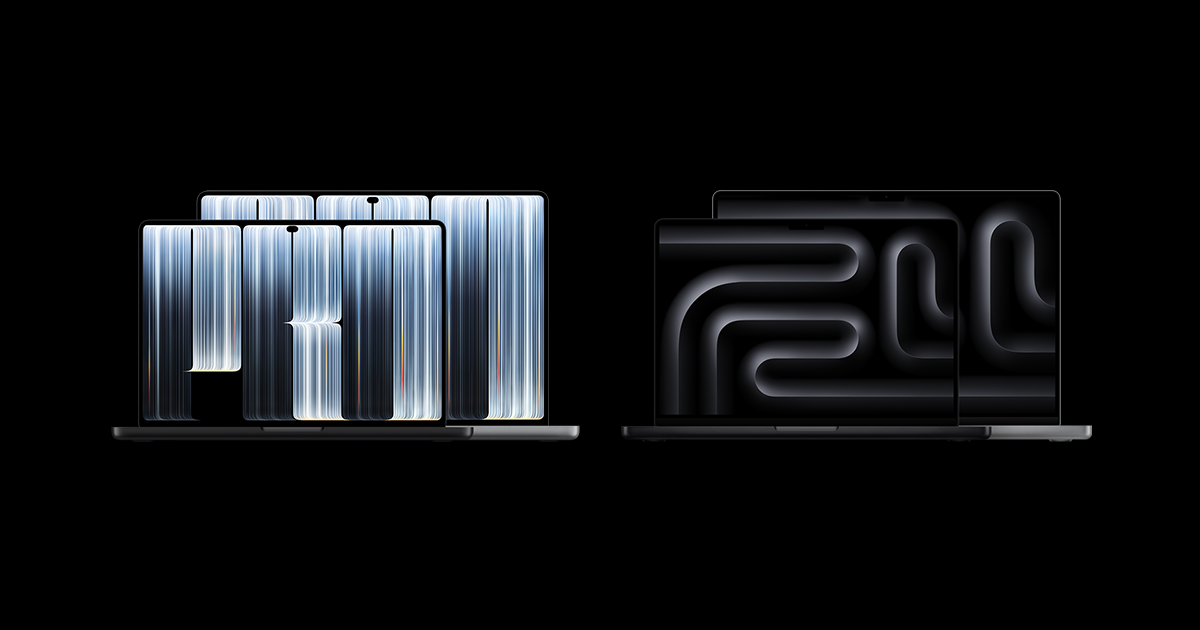
Image:
Apple
Apple's first touchscreen Mac, the new MacBook Pro with what Apple calls a PROLED XDR display, is starting to reach customers, and the first reviews landed last Thursday. If you've been wondering whether to treat yourself or someone else to one before Christmas, the reviews paint a clear picture, and it's a slightly surprising one. The screen is the star of the show, the lighter body gets plenty of praise, and the touchscreen itself, the feature everyone was talking about, turns out to be a pleasant extra rather than a reason to buy.
What Apple has announced
The new models come in 14-inch and 16-inch sizes, and they're the first Macs with an OLED screen. OLED is a type of display where each tiny dot of light (each pixel) makes its own light and can switch off completely, so blacks look truly black rather than dark grey. They also respond to touch, which is a first for any Mac.
Here's what else is new, according to Apple's announcement and the reviews:
- Brighter screen: up to 2,000 nits for HDR video (nits are simply a measure of brightness, and HDR is the extra-vivid format used by many films and shows).
- Fewer reflections: Apple says the standard glossy screen reflects just 1% of light, thanks to the panel design and a special coating.
- A Dynamic Island: the notch at the top of the screen has been replaced by the same kind of black pill shape you'll know from recent iPhones, which shows things like what's playing and Siri.
- Lighter and slightly thinner: Going by 9to5Mac's figures, the 14-inch model has dropped from about 1.6kg to 1.4kg, and the 16-inch from about 2.1kg to 1.8kg.
- Slimmer borders around the screen, with all four corners now rounded.
- New speakers that Apple says give 50% deeper bass.
- A 16TB storage option and a redesigned cooling system.
- The glowing Apple logo is back on the lid, for the first time in about a decade.
Under the bonnet they use the same M5 Pro and M5 Max chips as the existing MacBook Pro models with the older mini-LED screens, which Apple is still selling, so performance is much the same. The cheaper 14-inch MacBook Pro has also had a quieter update to a new M6 chip, but it doesn't get the new screen or touch. In the UK, the touchscreen 14-inch model starts at £2,899 and the 16-inch at £3,399, so these are very much premium machines. You can see the full range on Apple's UK store.
On timing, MacRumors reports that deliveries started in Australia and New Zealand and are rolling out through Asia, the Middle East and Europe, and that new online orders for the touchscreen models weren't due to ship until late November or early December, so stock may be tight in the run-up to Christmas.
What reviewers think of the screen
This is where the reviews are almost all smiles. Bloomberg's Chris Welch found the screen noticeably brighter than the older models, with much better contrast because each pixel can switch fully off, and he said any worries he had about the screen looking uneven disappeared once he started using it. Mashable's Timothy Beck Werth was even more enthusiastic, saying the laptop "absolutely slaps", which is high praise in reviewer language.
In his detailed review for 9to5Mac, Chance Miller said the colours and deep blacks were better than any other laptop he'd seen, and that viewing angles are improved too, so the picture still looks good if you're sat off to one side. He also points out that the faint halo you could sometimes see around bright things on a dark background with the older screens has gone. If you've heard that OLED screens can suffer from burn-in (where a faint ghost of something left on screen for ages stays visible), Apple says it has built in a system that constantly monitors and adjusts the pixels to prevent it, although of course only time will tell how well that holds up.
And the touchscreen?
Here's the bit that surprised a lot of people. Most reviewers liked having touch but didn't find it changed much. The Verge's David Pierce said it hadn't been something that "meaningfully changes the laptop experience", though he still recommends the new models for the screen and other upgrades. He did find it handy for zooming in on photos with two fingers, tapping to pause a film, and especially for showing someone something on screen, because you can both reach in and tap rather than crowding round the trackpad.
WIRED's Luke Larsen admitted he often forgot it was there when he was busy working, though he liked swiping away notifications and scrolling with his thumb when relaxing on the sofa. Gizmodo's Kyle Barr found it useful with iPhone Mirroring, the feature that shows your iPhone's screen on your Mac, because you can swipe on it just as you would on the phone itself.
It's worth knowing what touch doesn't do, too. There's no on-screen keyboard when you tap into a box, you don't get the iPhone-style copy and paste pop-up, and the Apple Pencil doesn't work with it at all. Apple has made sensible little changes, like spacing menus out when it notices you're using a finger, and the window buttons in the corner grow when you tap them so you don't hit the wrong one, but this is still very much the Mac you know. As 9to5Mac puts it, touch is meant to be a second way of doing things, there if you want it and easy to ignore if you don't.
Other things reviewers noticed
The lighter weight comes up again and again. Chance Miller at 9to5Mac said he noticed it the moment he picked up the 16-inch model and that it made him rethink his usual preference for the smaller size. Six Colors' Jason Snell is a fan of the Dynamic Island, saying it turns the old notch from a dead space into something useful.
The one mixed note is the sound. Bloomberg's Chris Welch found the extra bass great for films and TV, but said music, podcasts and YouTube can sound too boomy, and there's no simple setting to turn the bass down. If you mainly listen to speech or music through the built-in speakers, that's worth bearing in mind. You can read more reactions in MacRumors' review round-up.
How to turn off the glowing Apple logo
The logo on the lid lights up whenever the Mac is awake, and Apple has published a support document explaining how it works. It brightens and dims along with your screen brightness and also takes the lighting in the room into account, so it'll be dimmer in a dark room and brighter in a bright one. When the lid is closed it just looks like polished metal.
If you'd rather it didn't glow at all, there isn't a simple switch in Settings. Instead, Apple says you can turn it off using Terminal, which is a built-in app where you type commands rather than clicking buttons. You'll find it in the Utilities folder inside Applications, and you'll need your Mac's administrator password (the one you use to install apps). Type or paste this line and press Return:
sudo defaults write com.apple.CoreBrightness LEBacklightMode -int 0
To bring the glow back, use this one instead:
sudo defaults delete com.apple.CoreBrightness LEBacklightMode
Apple also notes that reinstalling macOS will switch the logo back on. Do take care to copy the commands exactly, and if typing into Terminal feels a bit daunting, that's exactly the sort of thing we're happy to help with. There's more detail in 9to5Mac's write-up of Apple's guide.
What's rumoured
Looking further ahead, there's a rumour doing the rounds that the next generation of MacBook Pro will bring this lighter design to every MacBook Pro, not just the touchscreen models, and that it will jump up two generations of processor at the same time, to M7 Pro and M7 Max chips. Apple hasn't said anything about this, so please treat it as speculation for now rather than something to plan around.
Should you buy one?
I think this is a great choice for anyone who wants the very latest technology Apple has to offer, but I'd go further than that, because even setting the touch aside, the screen on its own is a massive upgrade. The contrast is incredible, and the fact that these new models are so much lighter will make a big difference compared with the older MacBook Pros. So if you're in the market for a MacBook Pro and you have the budget, I'd definitely say go for one of these, because I think you'll appreciate the differences every day.
If you've got an older Mac, I'd say now is a good time to upgrade. Just keep that rumour in mind, because if it turns out to be right, the lighter design and a big jump in processor could come to the whole MacBook Pro range next time round.
And as for the glowing logo, I love that Apple has brought it back. I think it's a great move.
If you're weighing up which Mac is right for you, or you'd like a hand setting up a new one when it arrives, you can ask iHelp AI a quick question any time at /chat, or book a session with us, either remotely from anywhere in the UK or in person here in Dorset.
Alex
Get posts like this by email
Apple news, buying advice and tips, whenever I post something new.
Now and then, never spam. Unsubscribe any time. Privacy
Comments