
iOS 27.3 Beta Is Out: A New Health App, Vertical Tabs in Safari and What Else Is Coming
Published:
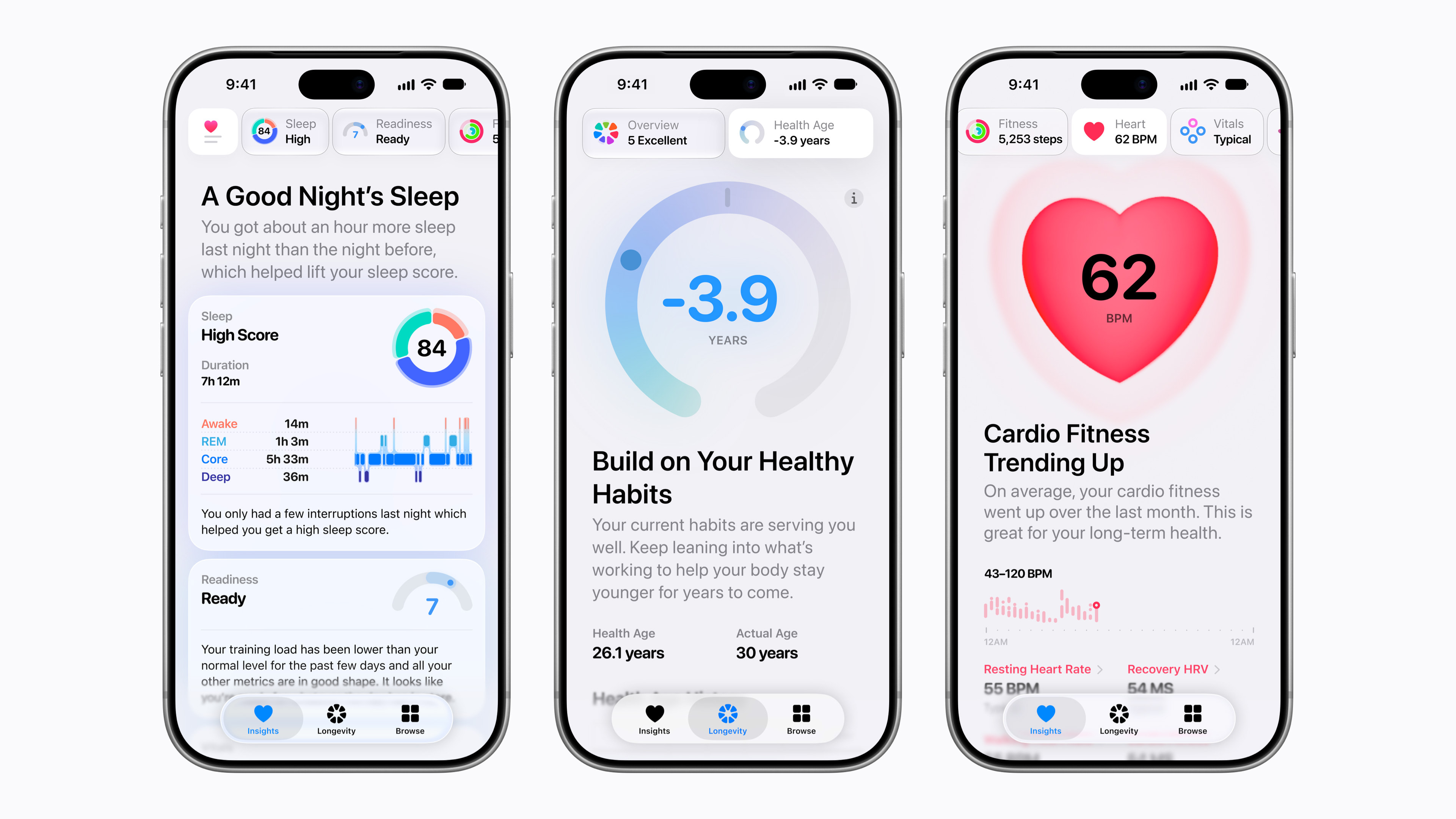
Image:
Apple
Apple has started testing iOS 27.3, and there's more in this one than you'd usually expect from a point update. The first beta went out to developers on Tuesday 3 November, with a redesigned Health app, vertical tabs in Safari, custom clock faces in StandBy and a long list of smaller changes. You don't need to do anything yet, and I wouldn't rush to install it, but here's what's on the way and when you can expect it.
The big one: a new Health app
This is the headline, and it's the part of the update Apple has written about itself. The redesigned Health app first appeared in the iOS 27.2 betas, then Apple took it back out, and now it has returned. Apple's announcement says it's in the developer beta today and will roll out as a free software update later this year.
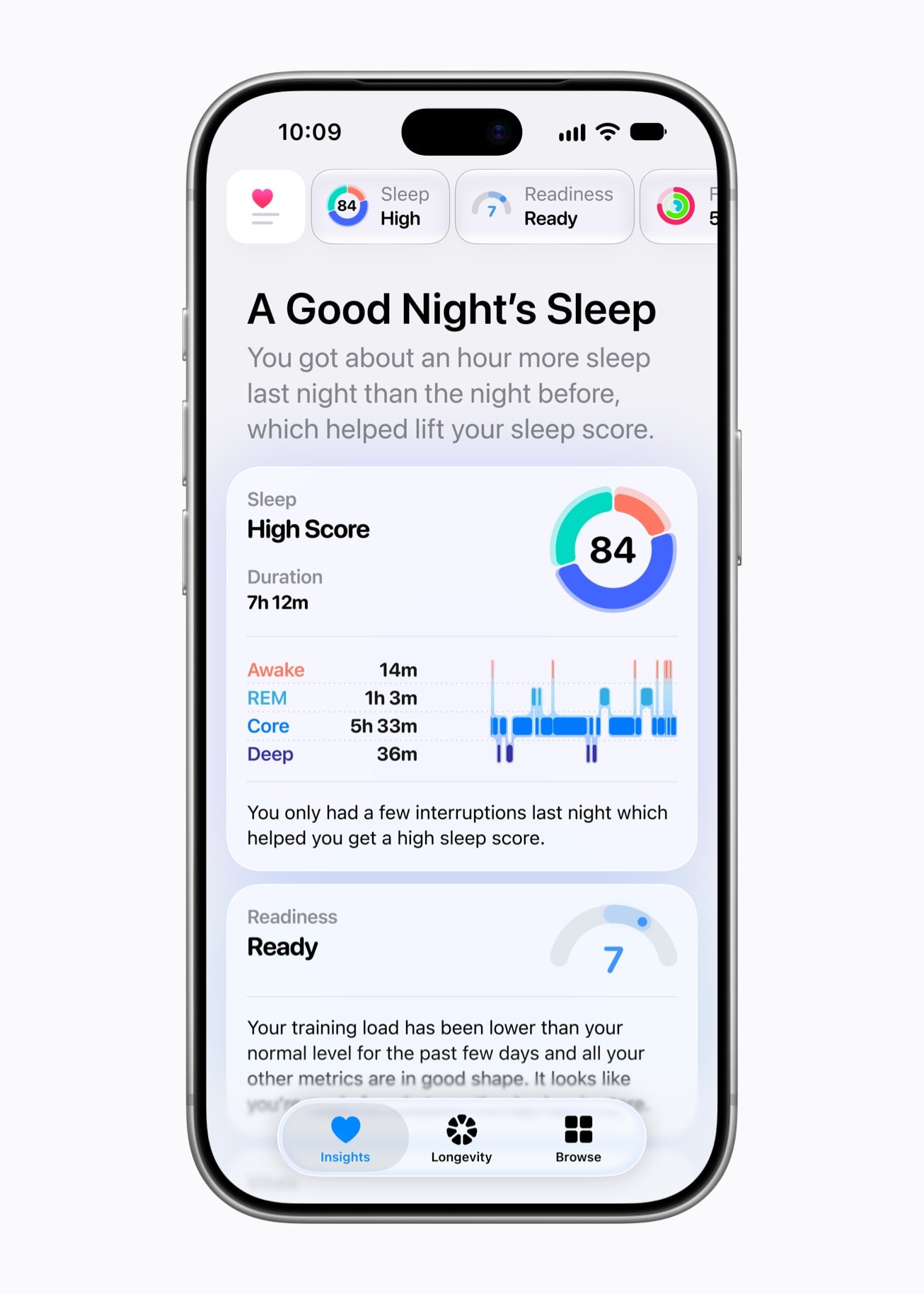
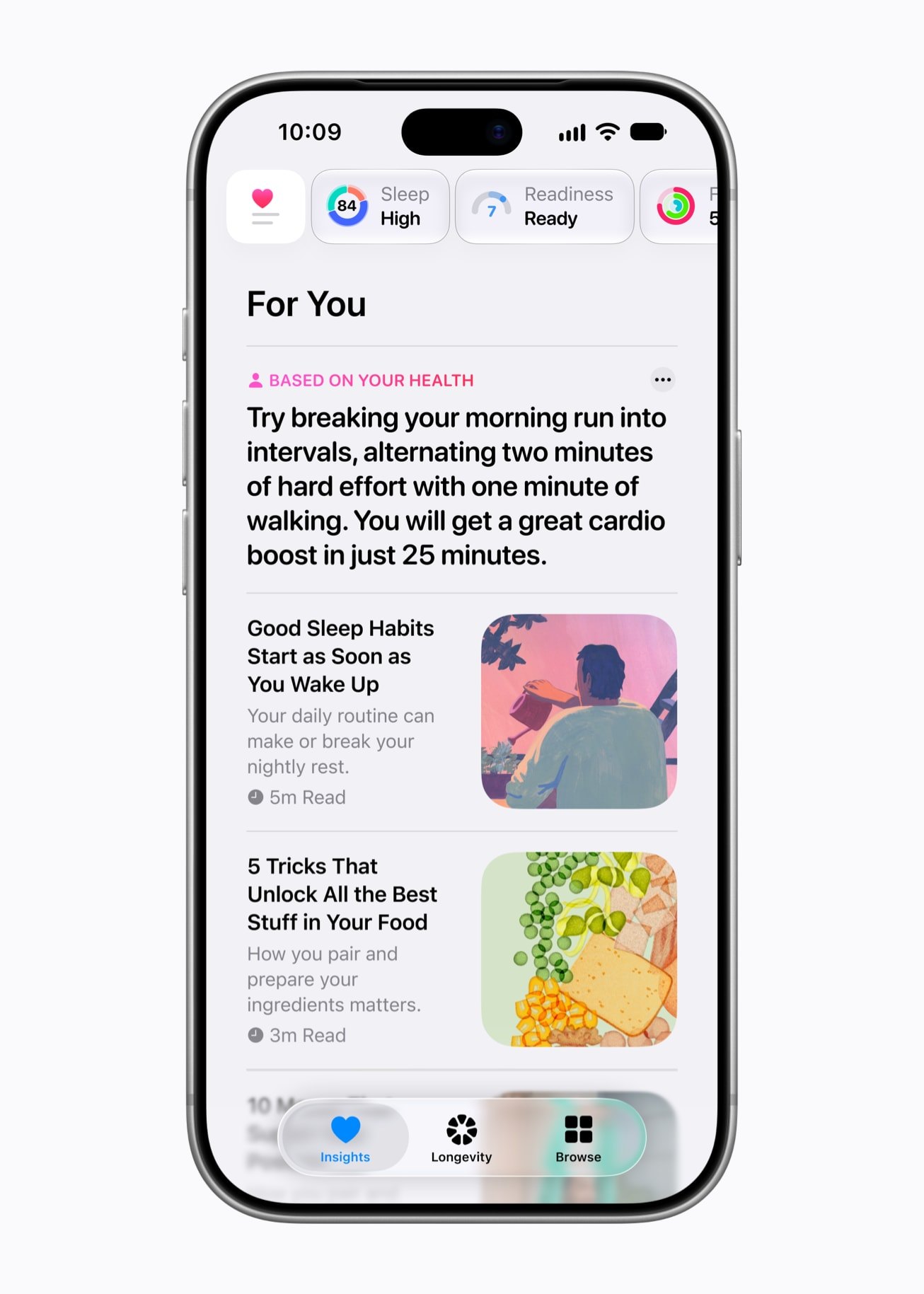
There's a new Insights tab, which gives you summaries through the day across your heart, sleep, readiness, fitness, vitals and cycle tracking, along with a For You section of recommendations based on your habits. Apple's example is practical advice on your wind-down routine after a few nights of broken sleep. There's also a new Longevity tab, which looks at the longer term across heart health, sleep, mental wellbeing, movement, metabolic health, hearing and nutrition.
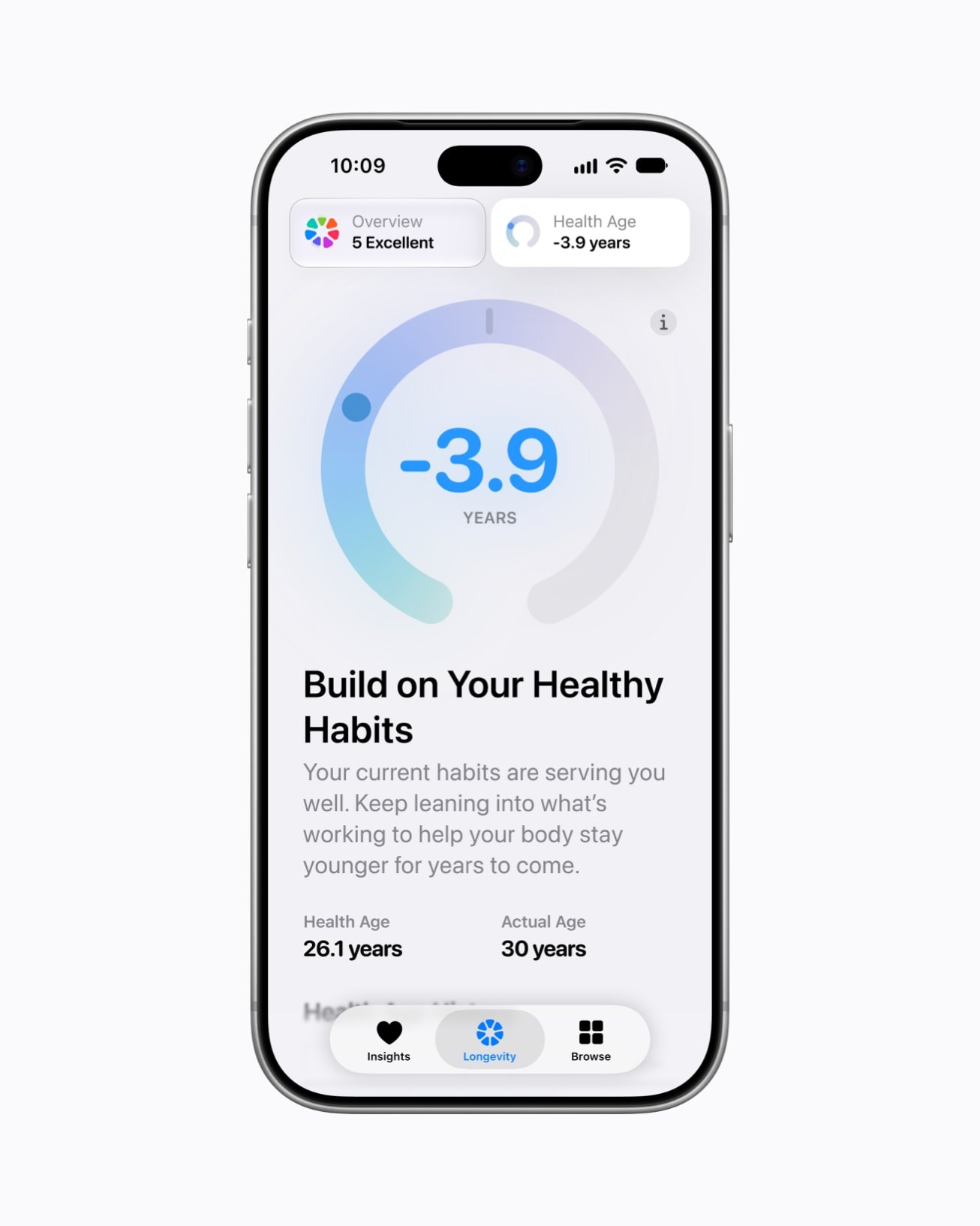
At the centre of that tab is Health Age, which uses data from your Apple Watch, such as VO2 max, resting heart rate, sleep and heart rate variability, to show how your body is tracking against your actual age. You can add lab results too, such as cholesterol, and there are at-home movement checks that use your iPhone's camera and Apple Watch to measure things like flexibility, strength and balance. Apple says those run entirely on your device, and that no video is ever recorded, stored or shared.
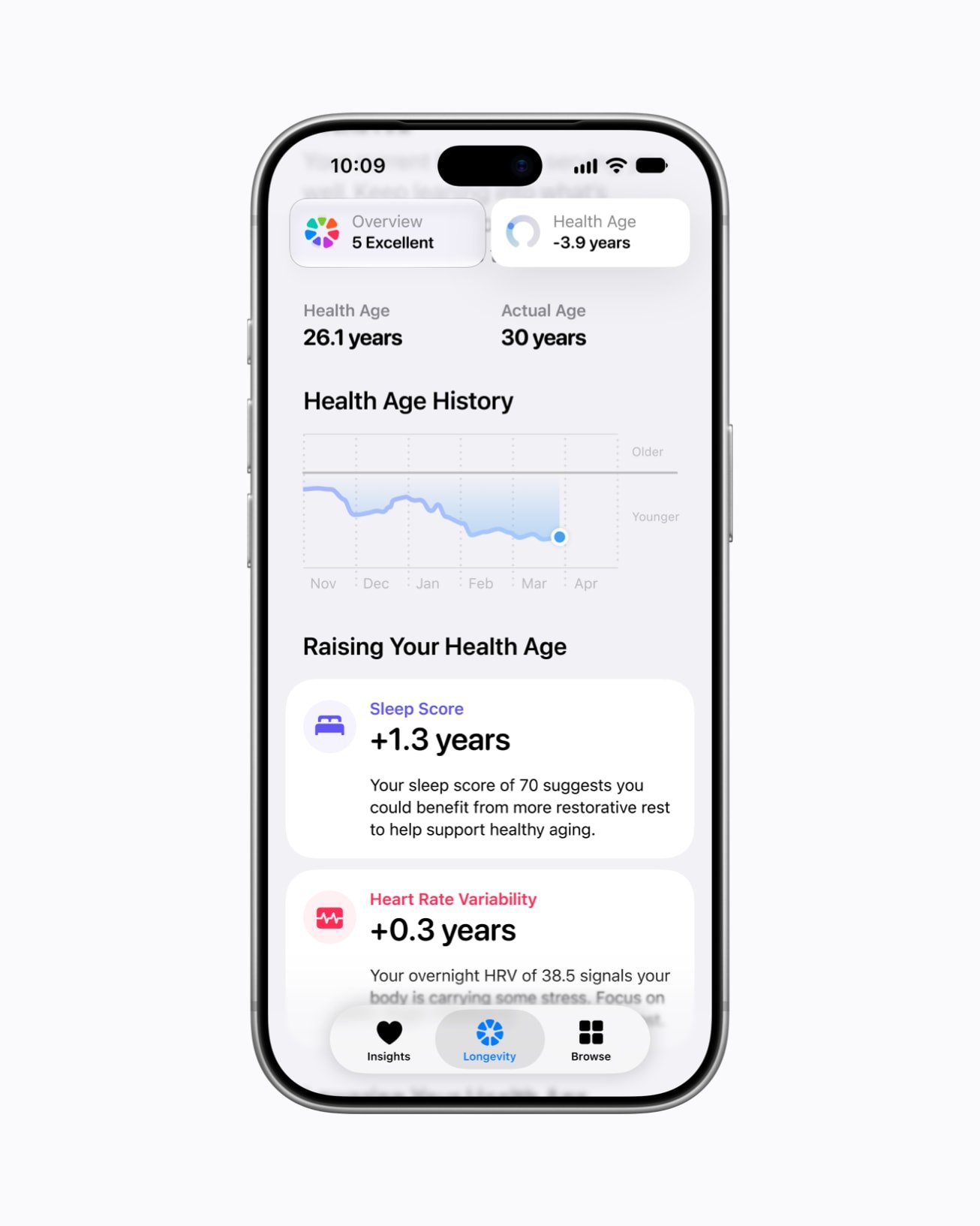
There are a few catches. The new app needs an iPhone or iPad that can run Apple Intelligence, which on iPhone means a 15 Pro or any iPhone 16 or later, and Health Age needs an Apple Watch. Apple also says some features may not be available in every region or language, although it did widen the app to global English this week, having first announced it for US English only. If you read about a $119 blood test feeding into Health Age, that's through Quest Diagnostics, a US lab company, and I haven't seen anything about a UK equivalent.
Safari: vertical tabs, and dark mode for bright websites
Safari gets vertical tabs, so your open tabs can run down the side of the window instead of along the top, and Apple's release notes for the beta list them. Macworld says they show as icons by default, and you can widen the bar to see the page titles. Appleosophy puts the setting at Settings › Apps › Safari › Vertical Tabs, and MacRumors says it's in the View menu on Mac and iPad as well. The reports differ on which devices get it, because MacRumors says iPhone, iPad and Mac, while Macworld lists Mac, iPad and iPhone Duo, and Apple's notes don't settle it, so we'll have to see whether regular iPhones are included when it ships.
The other change is Adaptive Dark Mode, for websites that don't have a dark design of their own. When you're using Dark Mode and land on a very bright page, Safari offers to darken it, and you can either let it do that automatically or choose site by site. Siri AI can also do more in Safari on phones that support it, like emptying the cache or organising your tabs.
What else is new
The rest of this comes from what people have found in the beta so far, mainly through 9to5Mac, Macworld and Appleosophy, so details could still change.
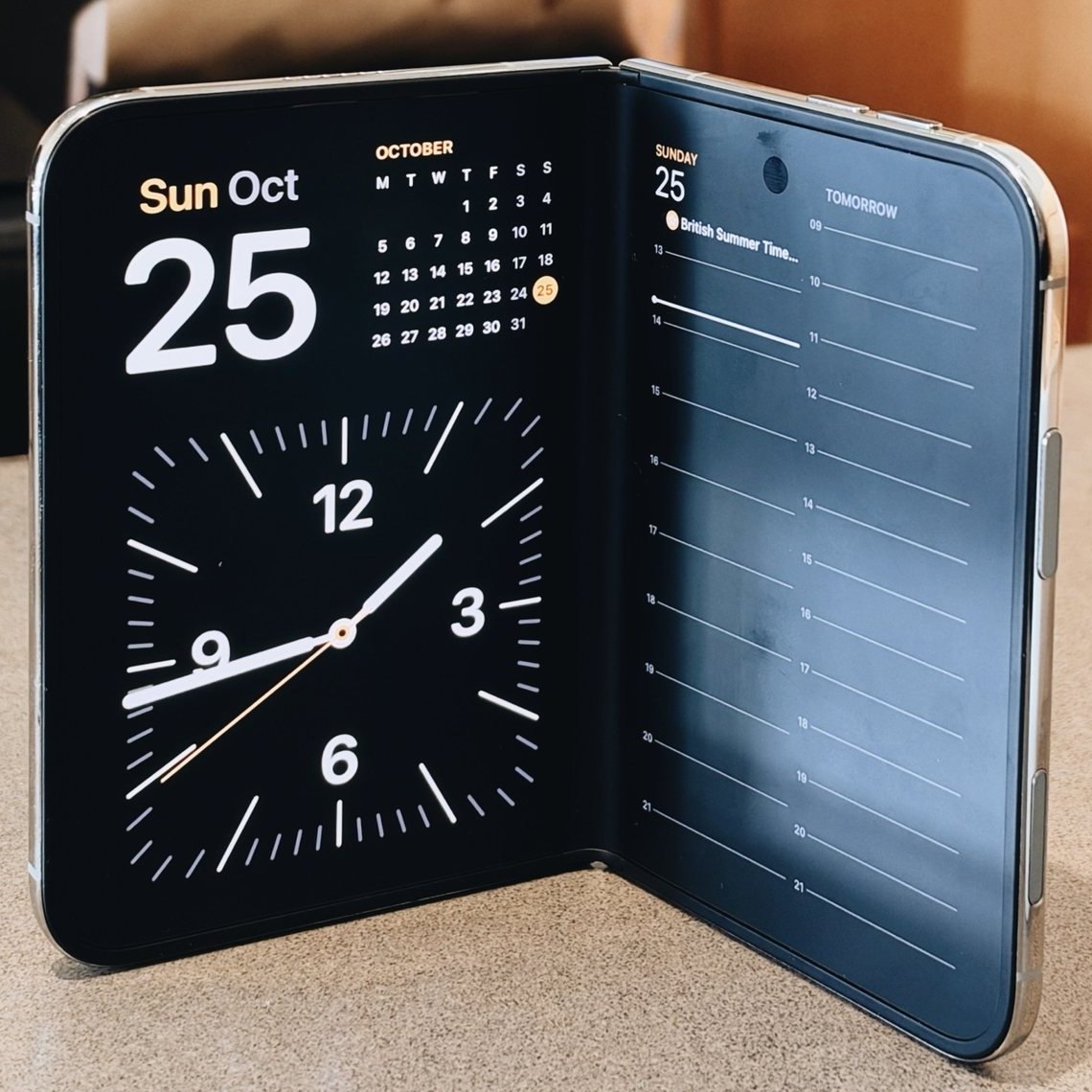
- StandBy: regular iPhones get more of the options from iPhone Duo, with digital and analogue clock faces you can customise with colours and complications, and swipe between. On these phones it still only works while charging.
- Siri AI: it can now do things in more of Apple's apps, including Calendar, Journal, Messages, Music, Reminders and Weather, and you can ask it what it can do in each one. Other apps can join in once their developers update them.
- Apple Music: a splash screen in the beta points to improved AutoMix, reimagined Artist Pages and Concerts For You, based on what you listen to.
- Fitness+: Gym Strength workouts, with a training plan and the ability to track your reps and weight.
- iPhone Duo: a new kind of Reachability moves the screen left or right with a swipe on either side, which should help on a phone that wide.
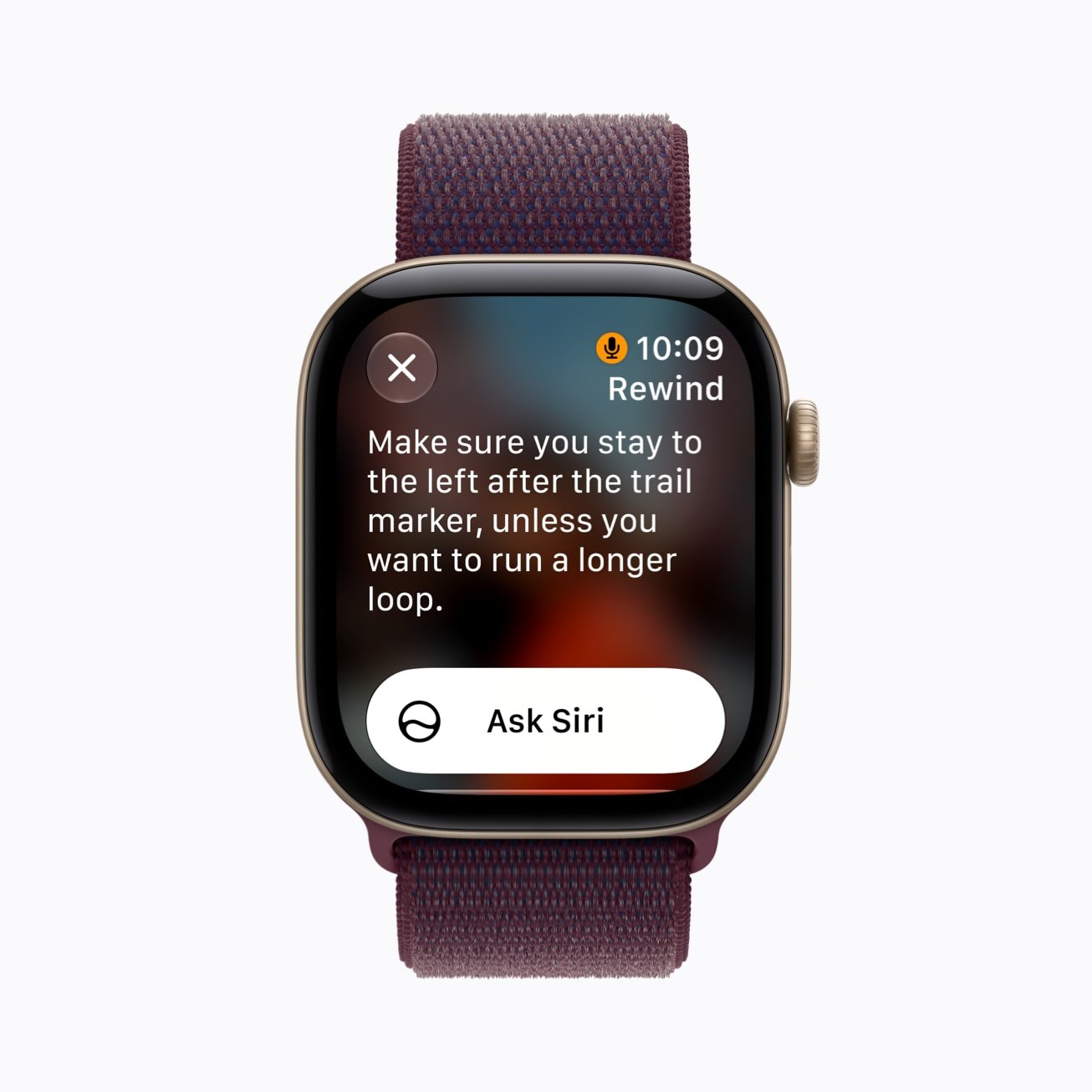
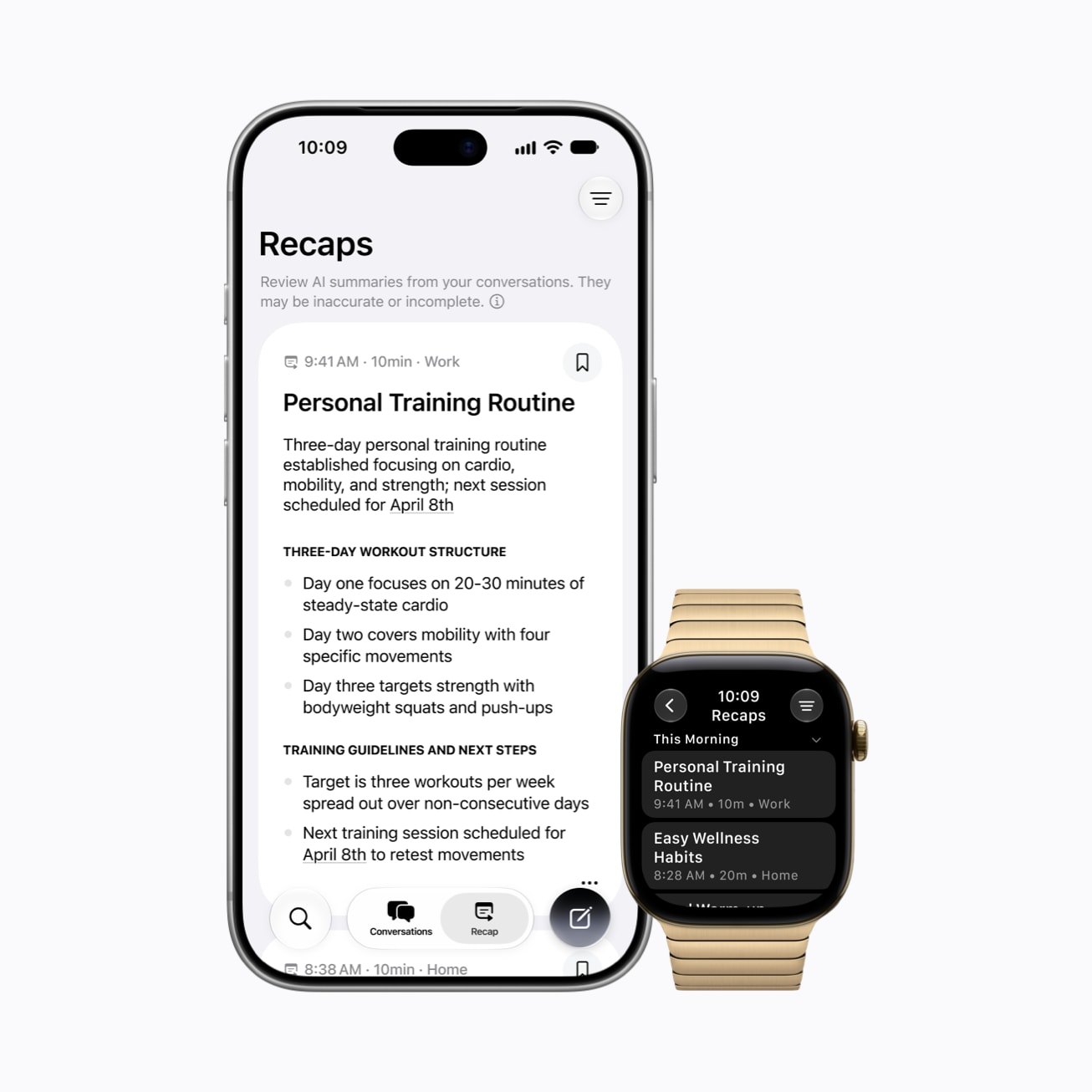
- Apple Watch: with watchOS 27.3, Live Rewind shows the last 15 seconds of a conversation as text when you double press the Digital Crown, and Siri Recap writes a title and key points for you. They're for Series 12 and Ultra 4, and need an iPhone 16 or newer, but not the 16e.
- iPad: a Siri Mode in the Camera app, and Visual Intelligence with Apple Pencil.
- Languages: Siri AI adds Traditional Chinese, Vietnamese, Turkish and Norwegian, and basic Apple Intelligence features such as Writing Tools and Genmoji are coming to China, though Siri AI isn't.
When can you get it?
Right now it's only for developers, and 9to5Mac expects a public beta to follow in the next few days. For everyone else, December is the month to watch. Apple's announcement for China says its Apple Intelligence features launch there when iOS 27.3 is released in December, although it doesn't give a date, and Apple's Health announcement just says later this year.
Should you install the beta?
I'd wait. Betas are test versions, so they can be buggy and some of your apps might misbehave, and features can change or disappear before the final release, which is exactly what happened to the Health app in the iOS 27.2 betas. If your iPhone is the one you rely on every day, it isn't worth the risk for a few weeks' head start. When the full update arrives it'll show up in Settings › General › Software Update like any other, and it's worth checking you have a recent backup first.
If you'd like a hand with an update, or you've got a question about any of this, you can ask iHelp AI for free, or book a session, either remotely from anywhere in the UK or in person here in Dorset.
Alex
Get posts like this by email
Apple news, buying advice and tips, whenever I post something new.
Now and then, never spam. Unsubscribe any time. Privacy
Comments